
Endpoint Logs
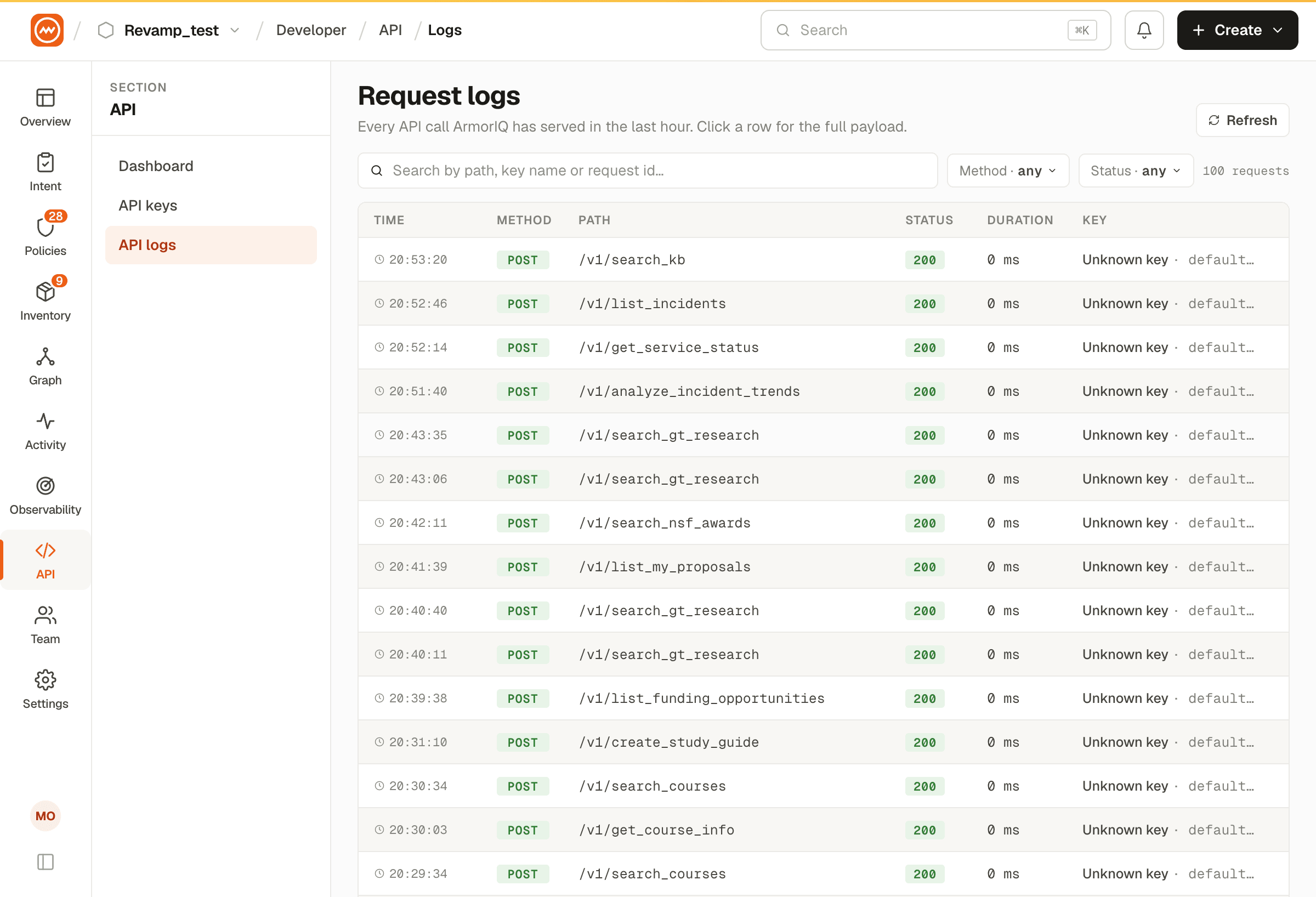
View detailed logs of API endpoint usage with filtering, search, and pagination.
Overview
The Endpoint Logs page provides a detailed view of all API endpoint activity across your API keys. Navigate to API Dashboard → Endpoint Logs or go to /dashboard/api-keys/endpoint-logs.
Filters
Use the filter bar at the top to narrow down log entries:
| Filter | Options | Description |
|---|---|---|
| Search | Free text | Search by endpoint path or HTTP method |
| Status | All / Active / Inactive | Filter by endpoint status |
| Method | All / GET / POST / PUT / DELETE / etc. | Filter by HTTP method |
| Date Range | Start date - End date | Filter by time period |
| Reset | Button | Clear all filters |
Log Table
Each log entry shows:
| Column | Description |
|---|---|
| Sr. No | Row number |
| API Name | The API key name used for the request |
| Method | HTTP method (GET, POST, PUT, DELETE, etc.) |
| Endpoint | The URL path. Includes View and Copy action icons. |
| Last Accessed | Date and time of the most recent access (DD/MM/YYYY HH:MM format) |
| Total Requests | Number of requests made to this endpoint |
| Status | Active (green badge) or Inactive (gray badge) |
Pagination
Results are paginated at 6 items per page. Use the pagination controls at the bottom to navigate between pages.