
Dashboard
Your central command center - security metrics, analytics, alerts, activity logs, and compliance overview.
The Dashboard is the first screen you see after selecting an organization. It provides a real-time overview of your organization's security posture with metrics, analytics, and activity feeds.
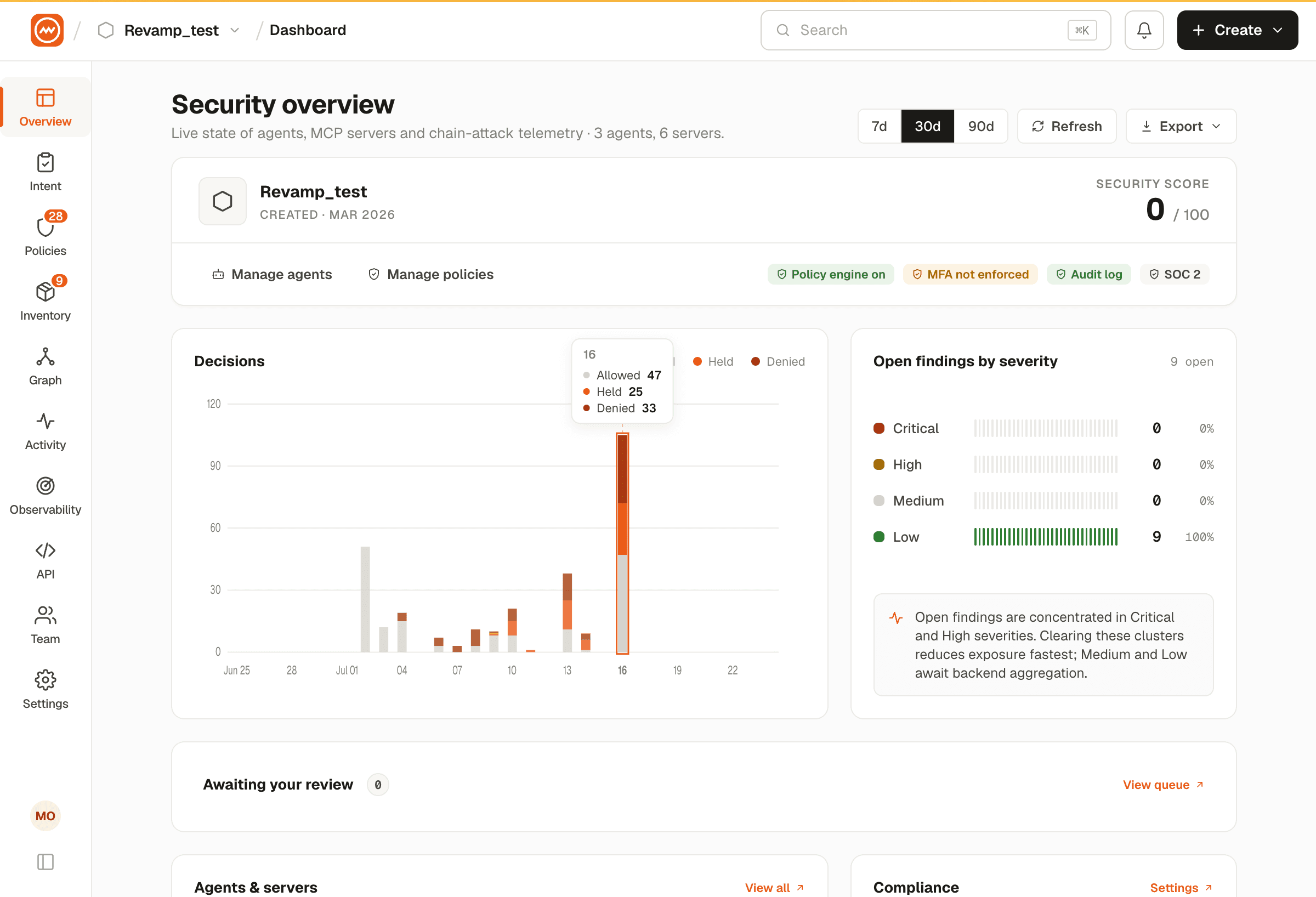
Role-Based Views
The dashboard displays different layouts depending on your role:
| Role | Dashboard View | What You See |
|---|---|---|
| Organization Admin | Full Security Dashboard | All metrics, distribution charts, compliance scores, project security, setup cards |
| IAM Admin | Full Security Dashboard | Same as Organization Admin |
| Developer | Full Security Dashboard | Same as Organization Admin |
| Analyst | Full Security Dashboard | Same as Organization Admin |
| Viewer | Simplified Dashboard | Key metrics, analytics chart, and alerts only |
The sidebar navigation also differs by role. Admin and developer roles see the full sidebar with all features. Viewer roles see a restricted sidebar with read-only access.
Topics
- KPI Metrics: Security metrics, compliance scores, and active certificates.
- Analytics & Activity: Security analytics charts, alerts feed, activity logs, and compliance.