
Manage Keys
List, filter, and revoke API keys.
Key Management
Navigate to API Keys → Manage to view and manage all API keys.
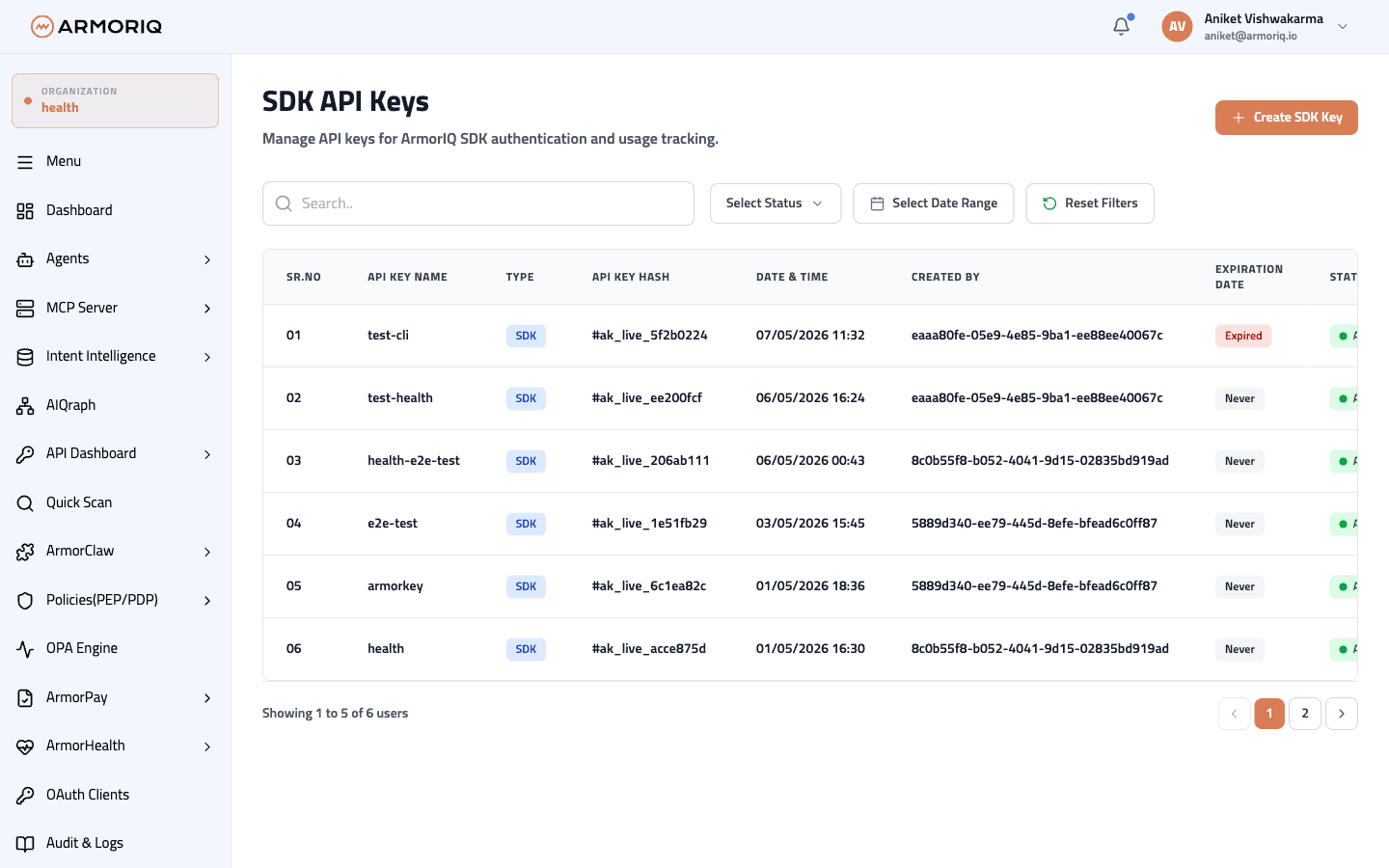
Key List
Each API key displays:
| Column | Description |
|---|---|
| Name | Descriptive name for the key |
| Key Hash / Prefix | Partial key identifier (full key is shown only once on creation) |
| Status | Active or Revoked |
| Created | Creation timestamp |
| Creator | User who created the key |
| Last Used | Most recent usage timestamp |
| Usage Count | Total number of API calls |
Filtering
- Search by key name
- Filter by status (Active / Revoked)
- Filter by date range
Revoking a Key
To revoke an API key:
- Find the key in the list
- Click the delete/revoke action
- Confirm the revocation
Revoking a key is immediate and irreversible. Any SDK or application using this key will immediately lose access.