
Policy List
View and manage all access policies for your organization.
Policy List
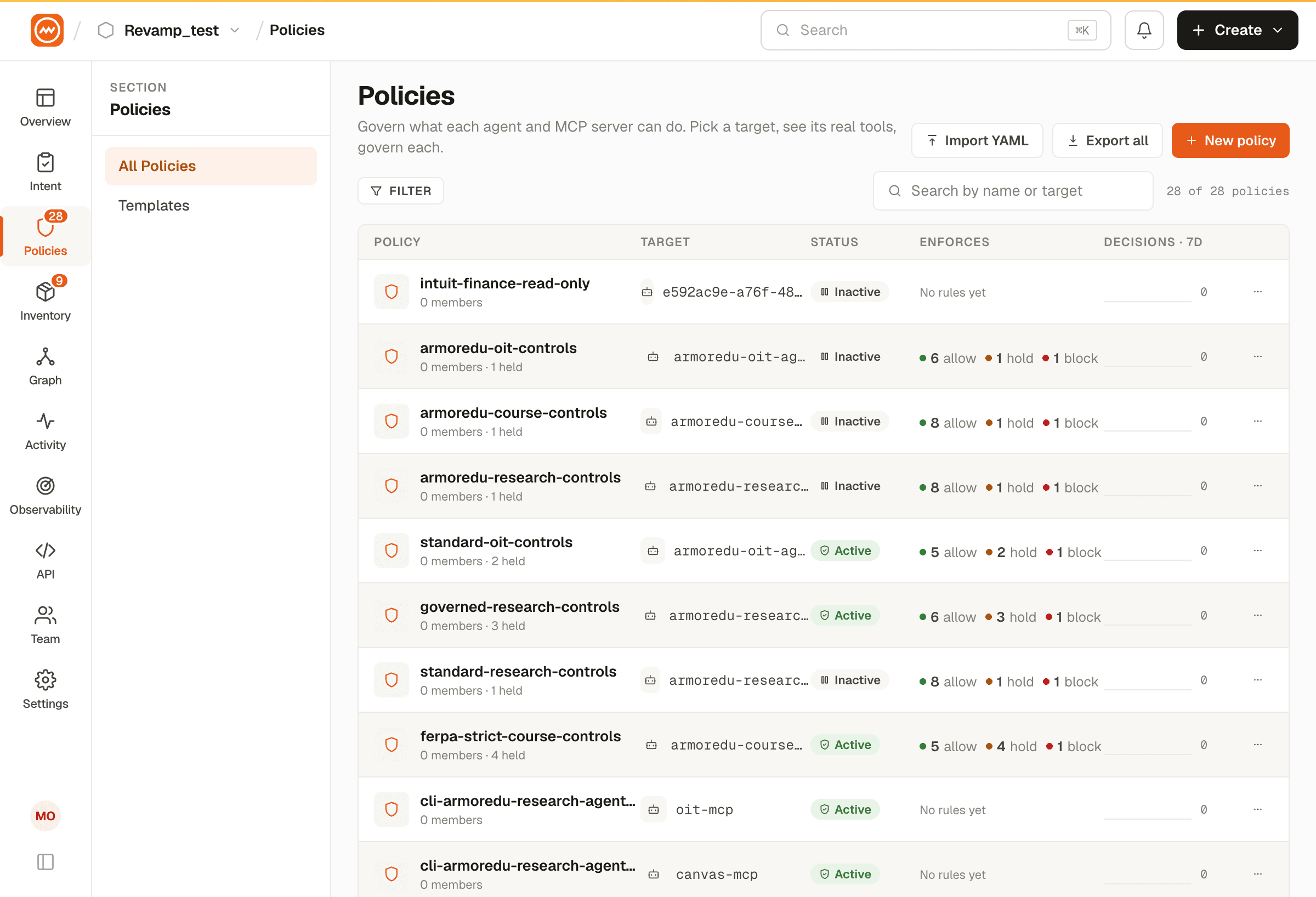
Each policy displays:
| Column | Description |
|---|---|
| Name | Policy display name |
| Target | The MCP server or agent this policy protects |
| Status | Active, Inactive, or Draft |
| Priority | Numeric priority (higher = evaluated first) |
| Member Rules | Number of per-member access rules |
| Created / Updated | Timestamps |
Filtering
- Filter by status - Active / Inactive / Draft
Policy Detail View
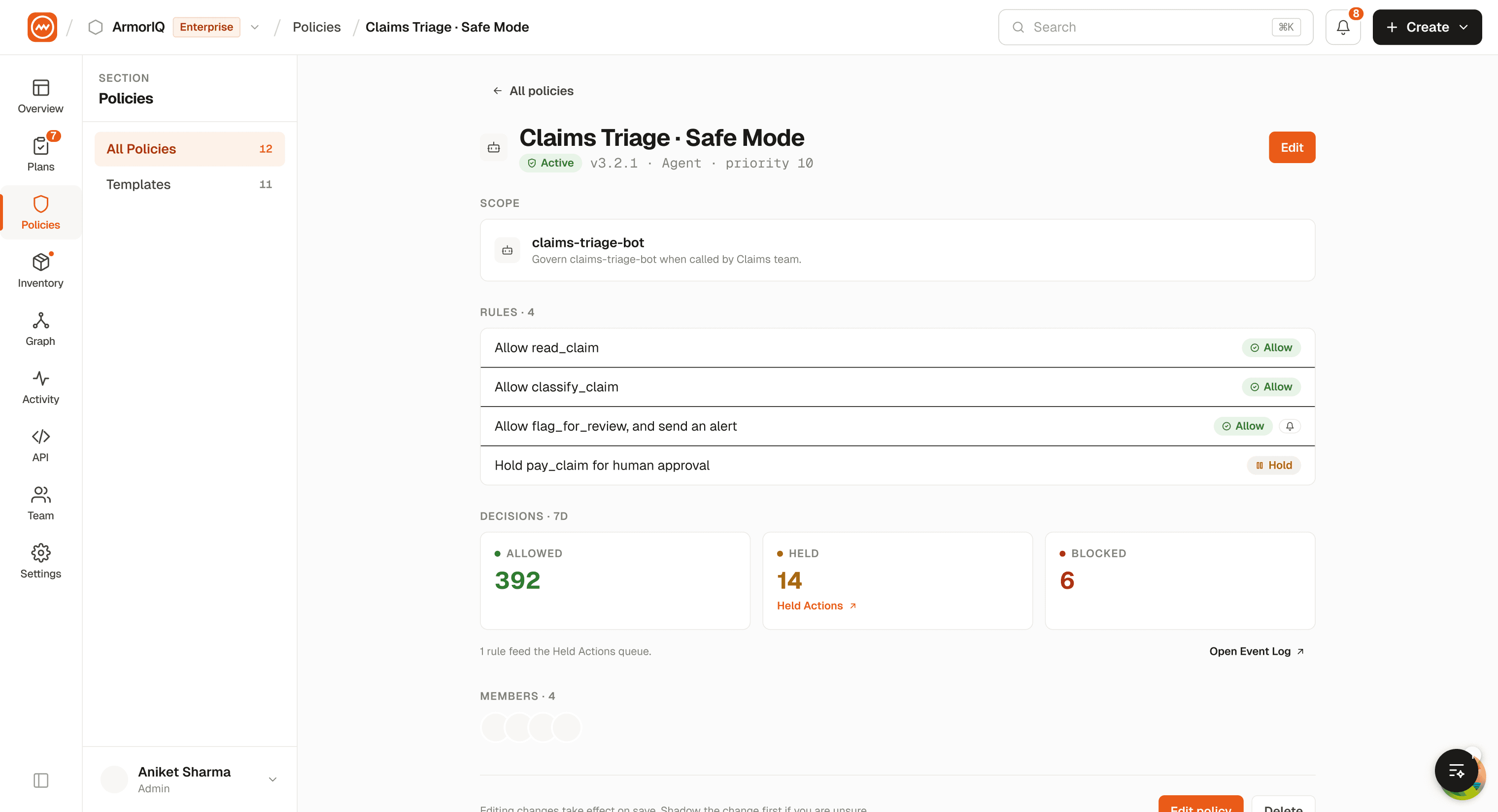
Click on a policy to view its full configuration, including all member-level rules and their permissions.
Editing and Deleting Policies
- Edit: Click on a policy in the list, then modify settings in the Policy Builder
- Delete: Click the delete action on a policy. This immediately removes all enforcement rules.
Deleting a policy that is actively protecting an MCP server or agent will remove all access controls. Ensure you have replacement policies in place before deleting.