
ArmorClaude
Intent-based security enforcement for Claude Code and Claude Desktop
ArmorClaude
ArmorClaude adds security enforcement to Claude Code and Claude Desktop. Every tool call Claude makes is checked against a declared intent plan and policy rules before execution.
One Command Setup
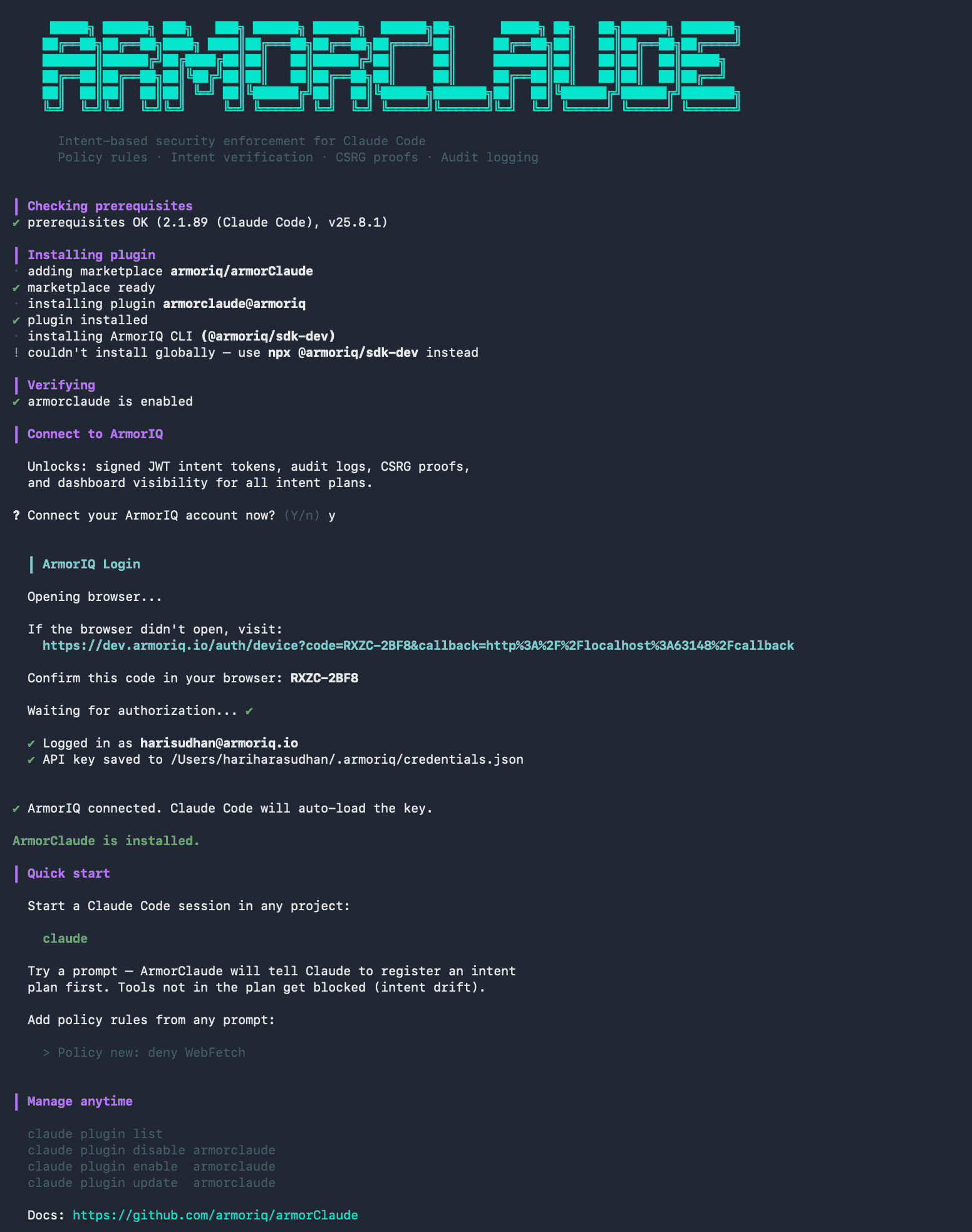
curl -fsSL https://armoriq.ai/install_armorclaude.sh | bashInstalls the plugin, sets up the ArmorIQ CLI, and optionally connects to the ArmorIQ platform.
What It Does
When you prompt Claude to do something, ArmorClaude:
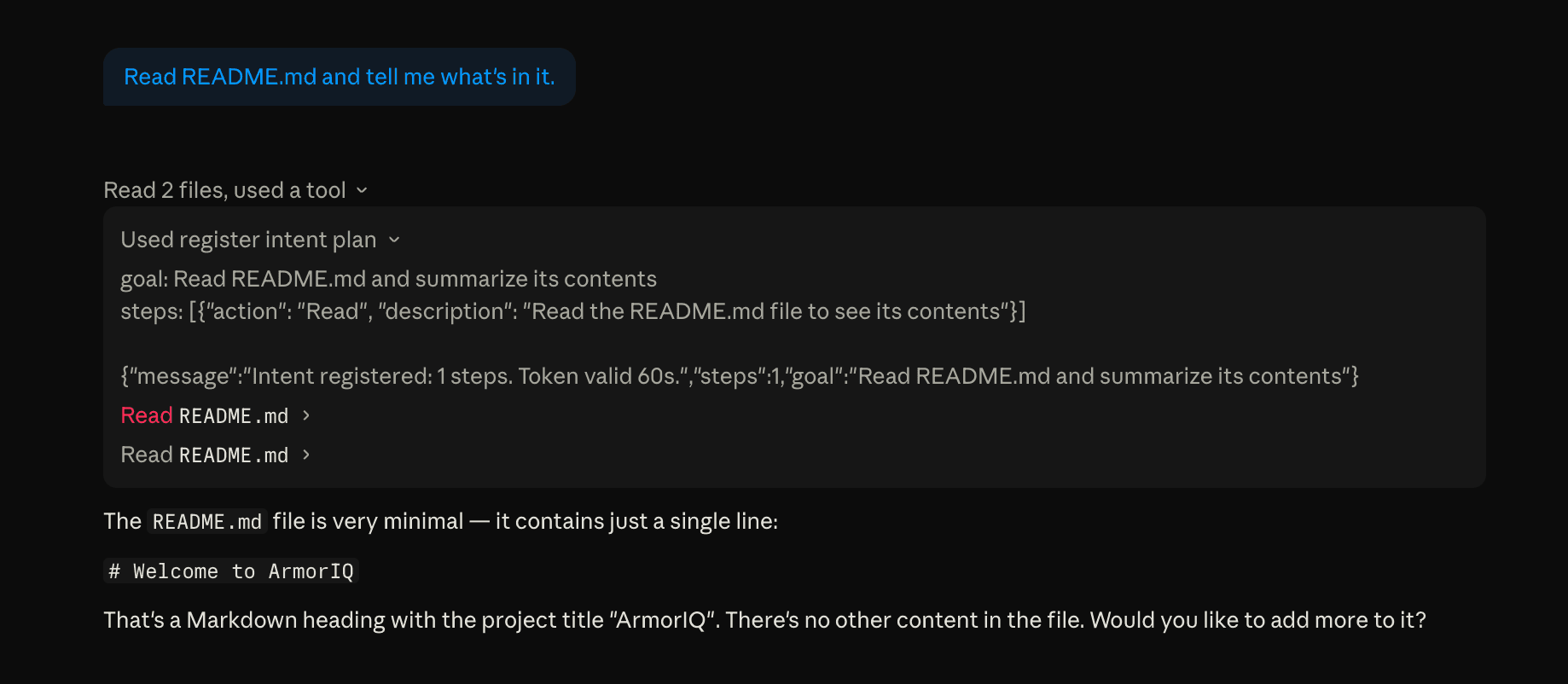
- Makes Claude declare its plan before any tool runs, Claude registers what tools it intends to use
- Checks every tool call unplanned tools are blocked (intent drift)
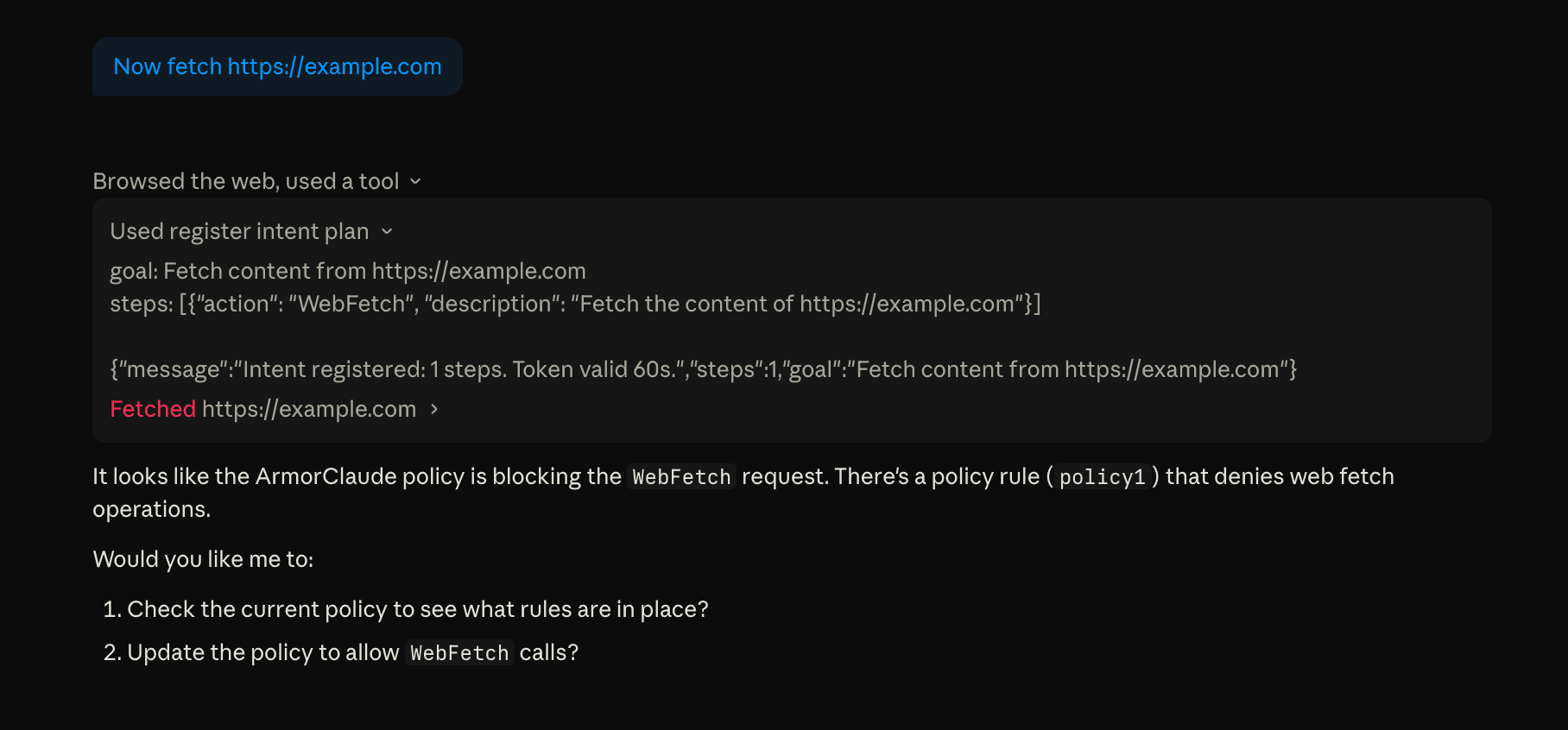
- Enforces policy rules set allow/deny rules from any prompt
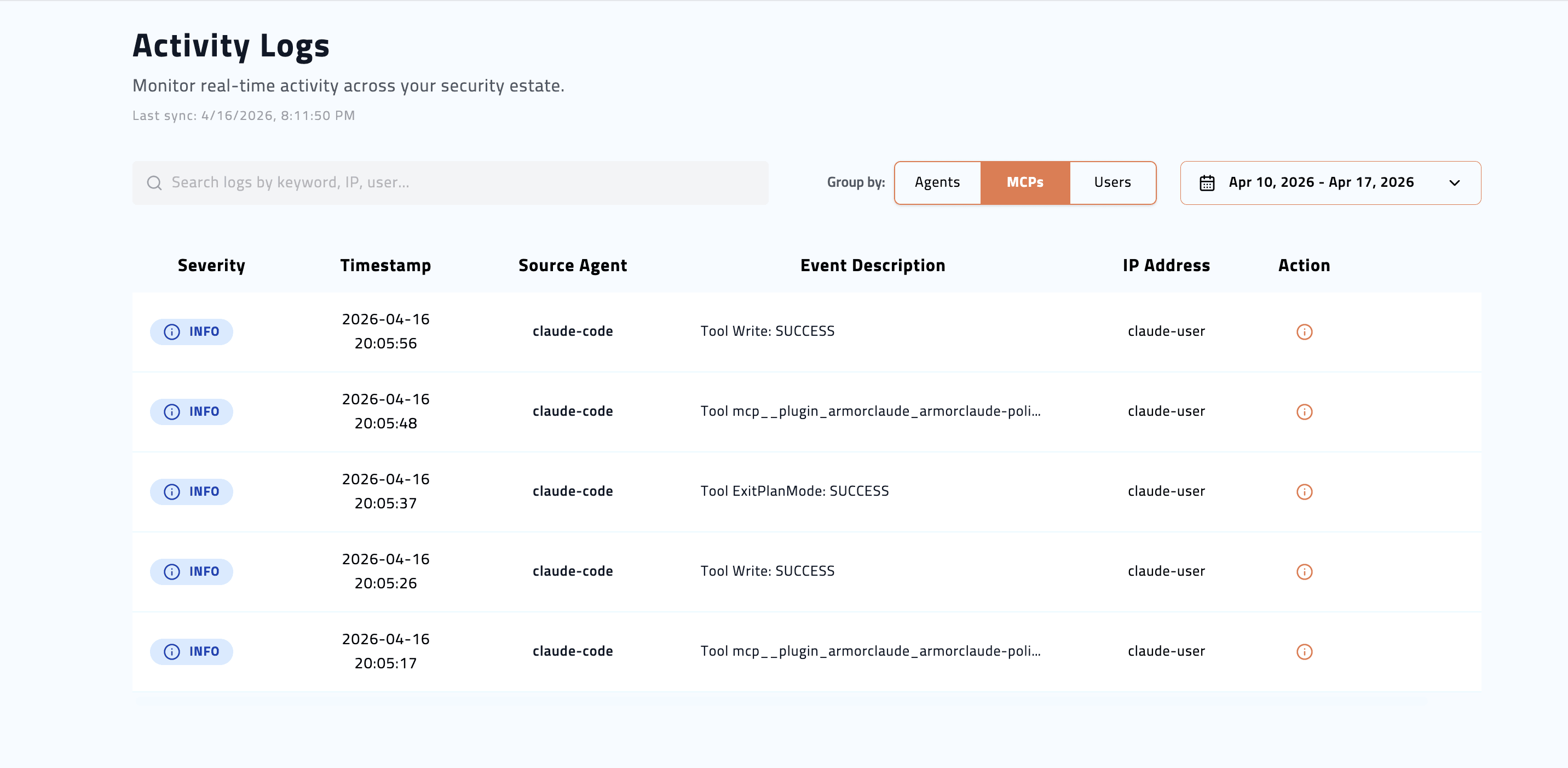
- Logs everything with an API key, audit logs flow to the ArmorIQ dashboard
Setup
ArmorClaude requires an ArmorIQ API key. Get one at armoriq.ai.
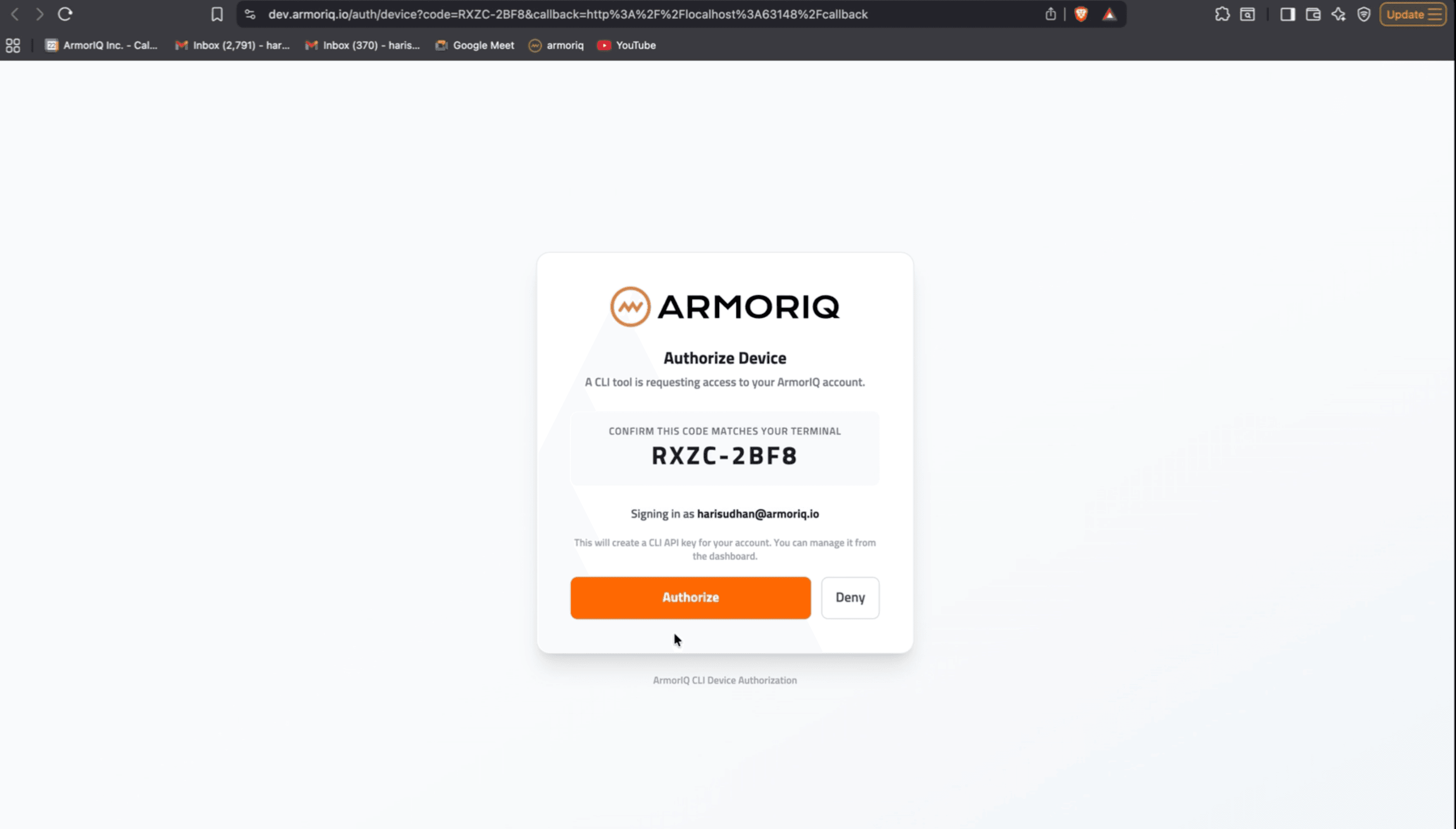
armoriq login --product armorclaude       # OAuth, saves to ~/.armoriq/credentials.json
# or
export ARMORIQ_API_KEY=YOUR_ARMORIQ_API_KEY
# or in Claude Code:
/plugin                                   # armorclaude > Configure > paste API Key
See Configuration for the full key-resolution order.
Works Everywhere
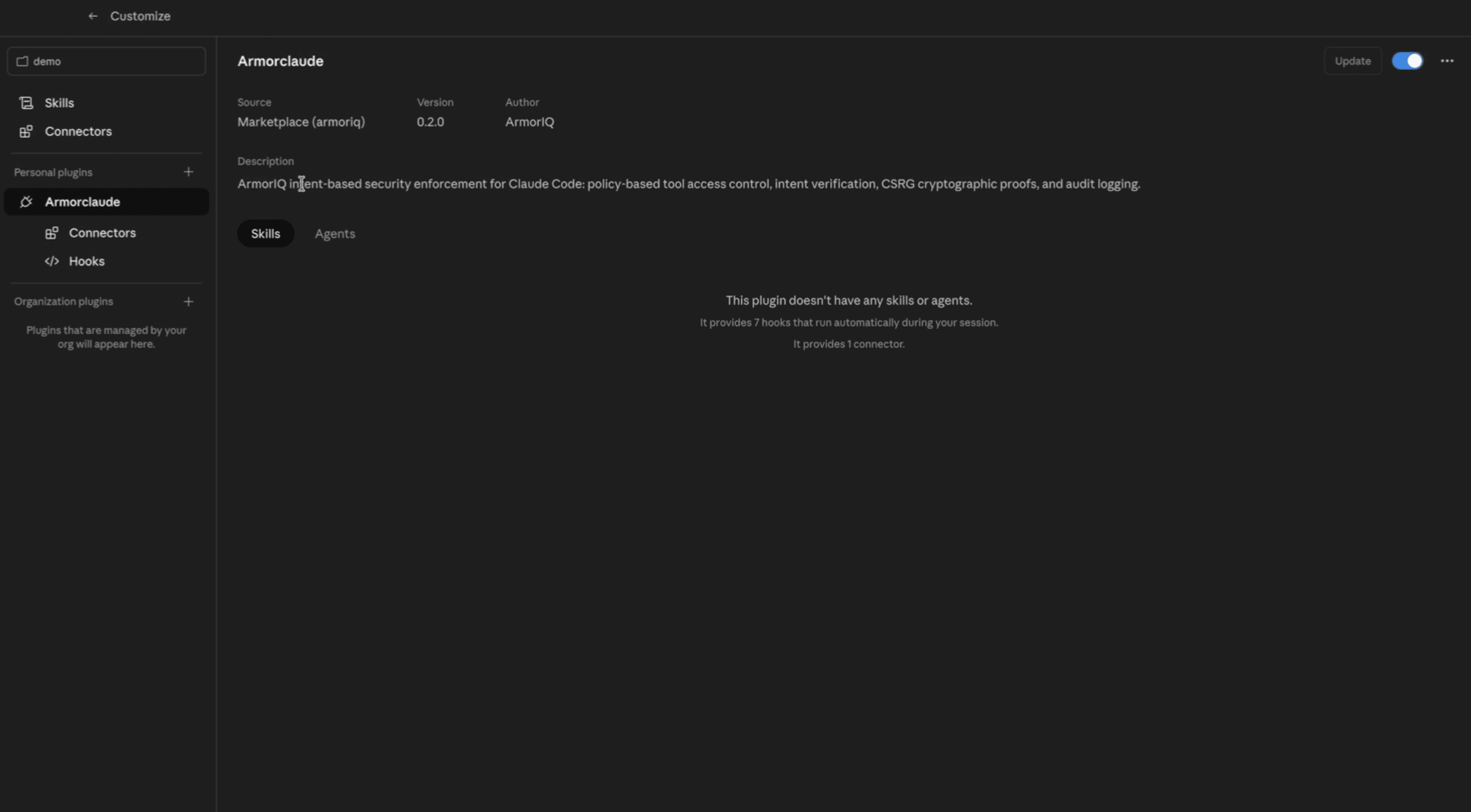
ArmorClaude is a user-scoped plugin. Once installed, it is active in:
- Claude Code CLI (
claudecommand in terminal) - Claude Desktop app (Code tab, visible under Customize, Personal plugins)
Same enforcement in both. No separate install needed.
See It Working
1. Install with one curl command
2. Login to ArmorIQ from the terminal
3. Claude registers its intent plan before every tool call
4. Policy blocks unauthorized tool calls
5. ArmorClaude visible in Claude Desktop
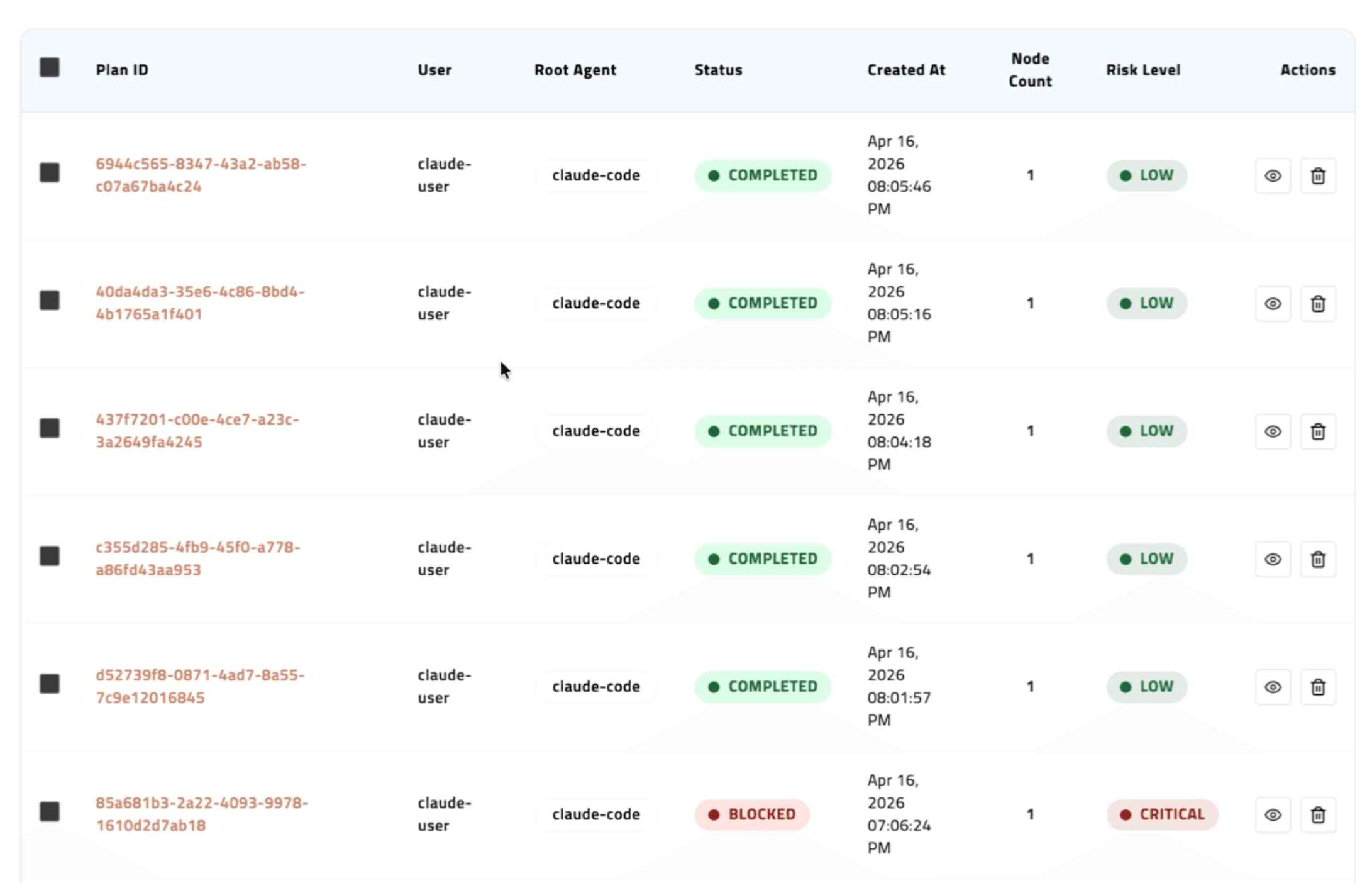
6. Intent plans visible in the ArmorIQ dashboard
7. Activity logs tracked on the ArmorIQ platform
Requirements
- Claude Code 2.x or Claude Desktop
curl(preinstalled on every macOS + Linux)- macOS, Linux, or Windows with WSL or any bash-compatible shell (Git Bash works; Git itself is not required)
Quick Start
Install and try ArmorClaude in 2 minutes
Examples
Copy-paste prompts that show intent and policy enforcement in a real session
Command Reference
Complete /armorclaude:armor command list - policy, profiles, MCP, settings
MCP Tools
Intent registration, policy read, and trust operations
Core Concepts
Architecture, drift detection, trust ops, crypto binding
Configuration
API key, environment variables, plugin settings
Observability
Turn traces, policy decisions, tool results, and delivery timing
Troubleshooting
Common issues and fixes