
Platform Graph
Interactive visualization of your entire security topology - users, agents, MCP servers, intent plans, and their relationships.
Overview
The Platform Graph provides an interactive, force-directed visualization of your organization's entire security topology. It shows the relationships between users, agents, MCP servers, intent plans, tool calls, and proxy validations.
Navigate to Platform Graph from the sidebar.
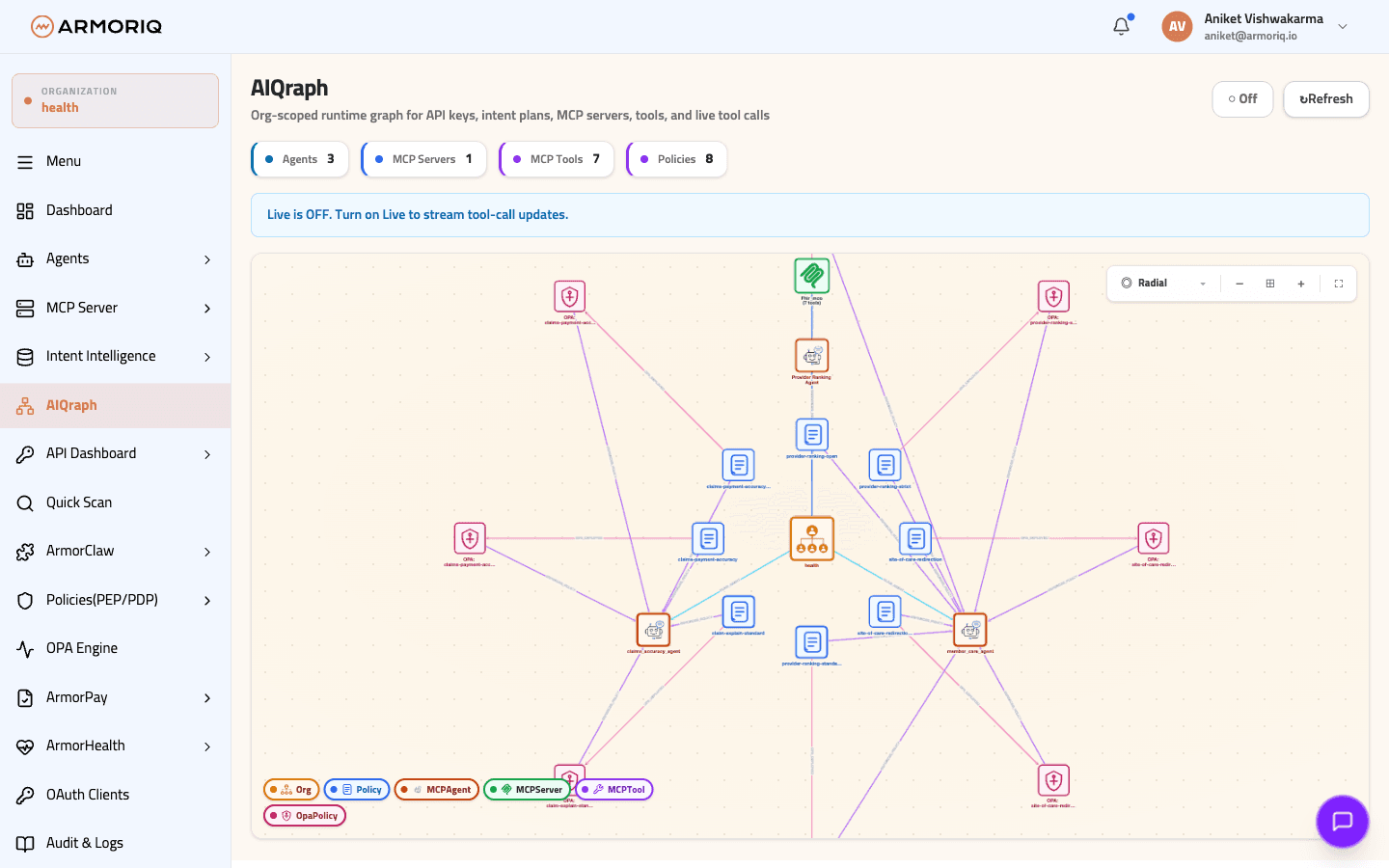
Node Types
The graph displays the following entity types:
| Node Type | Icon | Description |
|---|---|---|
| User | 👤 | Organization members who initiated actions |
| Organization | 🏢 | The organization container |
| Agent | 🤖 | Registered AI agents |
| MCP Server | 🔒 | Registered MCP servers |
| Intent Plan | 📋 | Execution plans processed by the Intent Assurance Plan (IAP) |
| Tool Call | ⚡ | Individual tool invocations |
| Proxy Validation | ✅ | Proxy enforcement decisions |
Edge Types
Nodes are connected by relationship edges:
| Edge Type | From → To | Meaning |
|---|---|---|
| BELONGS_TO | User → Organization | User is a member of the org |
| INITIATED | User → Intent Plan | User triggered the execution plan |
| EXECUTED_BY | Intent Plan → Agent | Agent is executing the plan |
| INVOKED | Agent → Tool Call | Agent made a tool invocation |
| ROUTED_TO | Tool Call → MCP Server | Call was routed to the server |
| VERIFIED_BY | Tool Call → Proxy Validation | Proxy verified the call |
| REGISTERED_IN | Agent/Server → Organization | Resource belongs to the org |
Layout Options
Choose from multiple graph layout algorithms:
| Layout | Description |
|---|---|
| Dagre TB | Top-to-bottom hierarchical layout (default) |
| Dagre LR | Left-to-right hierarchical layout |
| Circle | Circular arrangement of nodes |
| COSE | Physics-based compound spring layout |
Node Details Panel
Click on any node to open a side panel with detailed information:
The panel shows:
- Node properties (name, type, status, etc.)
- Connected nodes - all directly related entities
- Edge details - relationship types and metadata
Data Sources
The Platform Graph is built from live data by combining:
- Organization members
- Registered MCP servers and agents
- Intent plans with execution data
- Audit logs
- Proxy verification records
Only intent plans with real proxy-verified tool invocations are displayed in the graph, ensuring the visualization reflects actual execution flow rather than planned activity.
Use Cases
The Platform Graph helps you:
- Visualize attack surfaces - See which agents have access to which MCP servers
- Trace execution paths - Follow the flow from user intent through agent execution to MCP server
- Identify policy gaps - Spot unprotected connections between agents and servers
- Audit tool usage - See which tools are being invoked and by whom
- Understand dependencies - Map the relationships in your AI infrastructure