
Create & Join
Create a new organization or join an existing one.
Creating an Organization
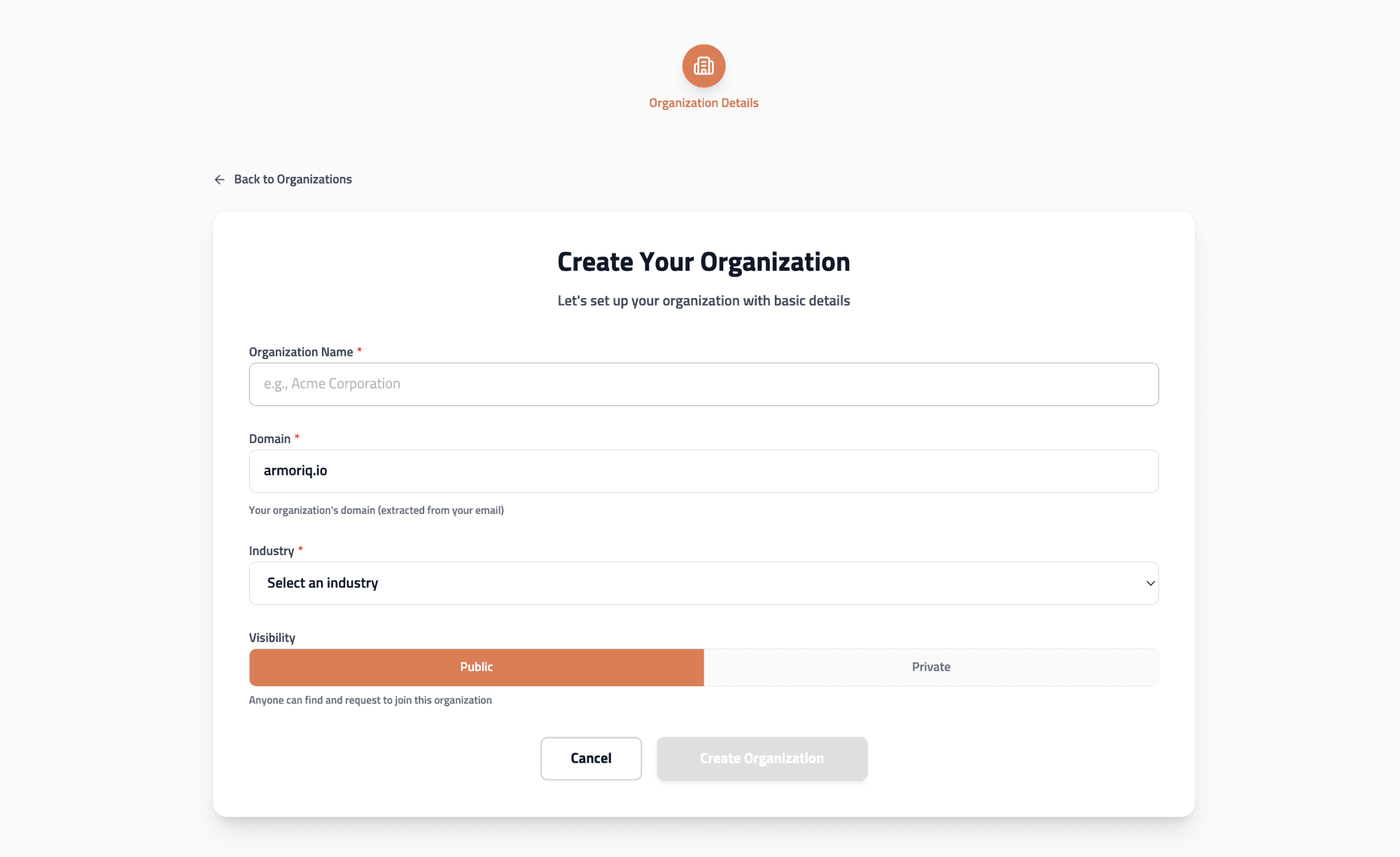
- Click Create Organization on the Organizations page
- Fill in the required fields:
- Team Name - Your organization's display name
- Vertical - Select your industry category
- Click Create
Work email required. Users with public email providers (Gmail, Yahoo, Outlook, Hotmail, etc.) cannot create organizations. Use your company email domain to create an organization, or request to join an existing one.
Joining an Organization
Search and Request
- On the Organizations page, use the Search field
- Browse available organizations matching your email domain
- Click Request to Join on the desired organization
- Wait for an organization admin to approve your request
Domain Matching
ArmorIQ automatically detects organizations that match your email domain. For example, if your email is user@acme.com, organizations with the acme.com domain will be suggested.
Accept an Invitation
If an admin has invited you:
- Check for pending invitations on the Organizations page
- Click Accept to join immediately
Switching Organizations
To switch between organizations:
- Click the organization selector in the sidebar or navigate to
/organizations - Select a different organization
- The dashboard reloads with the new organization's data
All resources, metrics, and settings are immediately scoped to the selected organization.