
Server Registry
Browse, filter, and manage your registered MCP servers.
Registry Dashboard
The registry page displays metric cards and a categorized view of all your MCP servers.
Metric Cards
| Metric | Description |
|---|---|
| Total Servers | Number of registered MCP servers |
| Active Certificates | Servers with valid TLS certificates |
| Security Compliant | Servers passing all security checks |
| Expiring Soon | Certificates approaching expiration |
Categorized View
Servers are organized by category:
- Analysis - Analytics and monitoring servers
- Database - Database query servers
- AI/ML - Machine learning model servers
- API Gateway - Gateway and routing servers
- Documents - Document processing servers
Server Detail View
Click on any server card to open the detail panel.
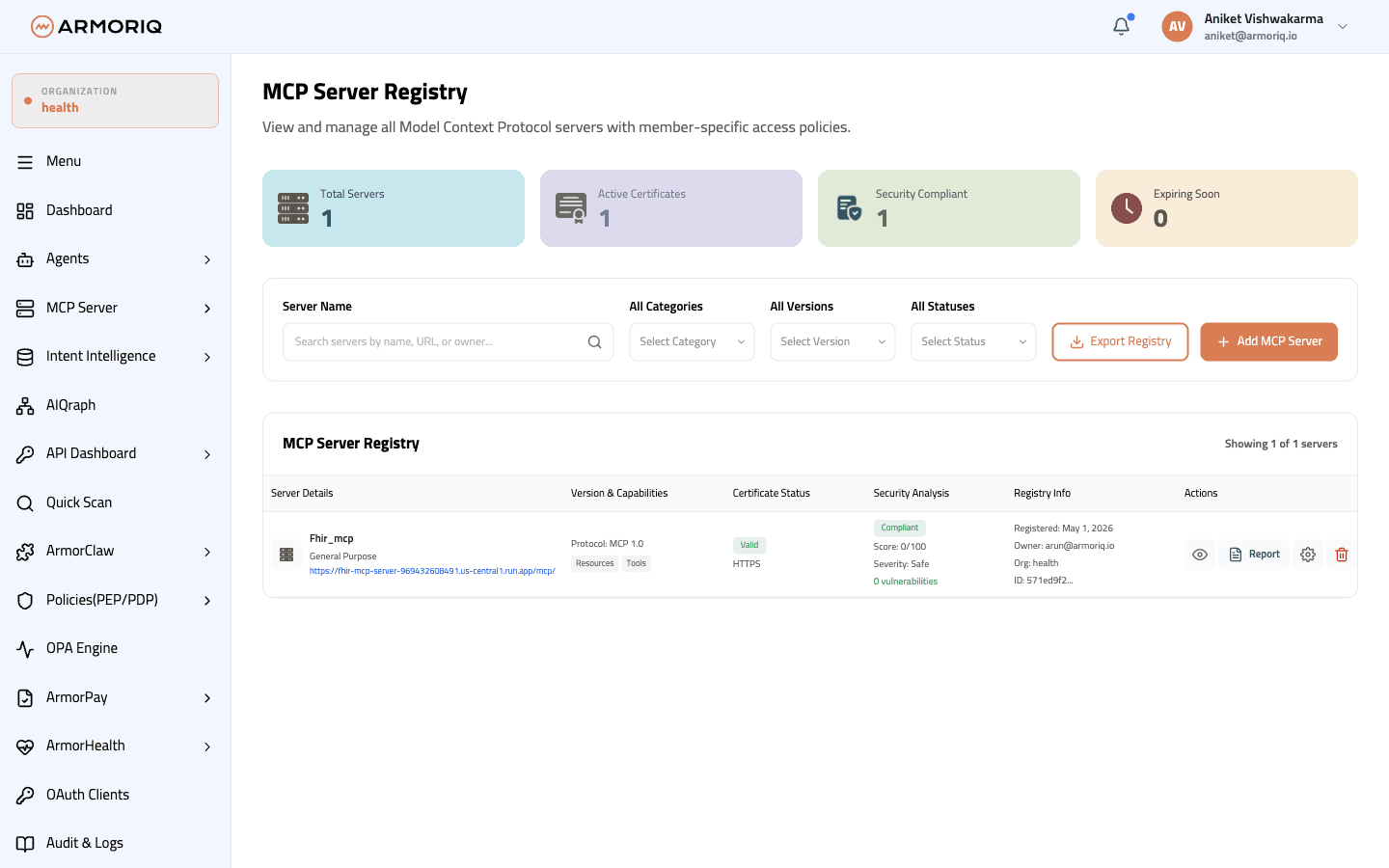
The detail view shows:
- URL and connection status
- Severity level and vulnerability score
- Owner and organization
- Certificate information (issuer, validity, expiration)
- Last scan date and results
- Policies attached to this server with member-level rules
Available Actions
| Action | Description |
|---|---|
| View Details | Open the full detail panel |
| Scan | Trigger a new security scan |
| Delete | Remove the server from the registry |
| Download Report | Export the scan report as JSON |
| View Scan Report | Navigate to the detailed scan report page |
Only users with Organization Admin, Developer, or IAM Admin roles can add or delete MCP servers.